It may be necessary to identify the unique ICCID associated with your eSIM. This article walks you through the steps on a Hammer device.
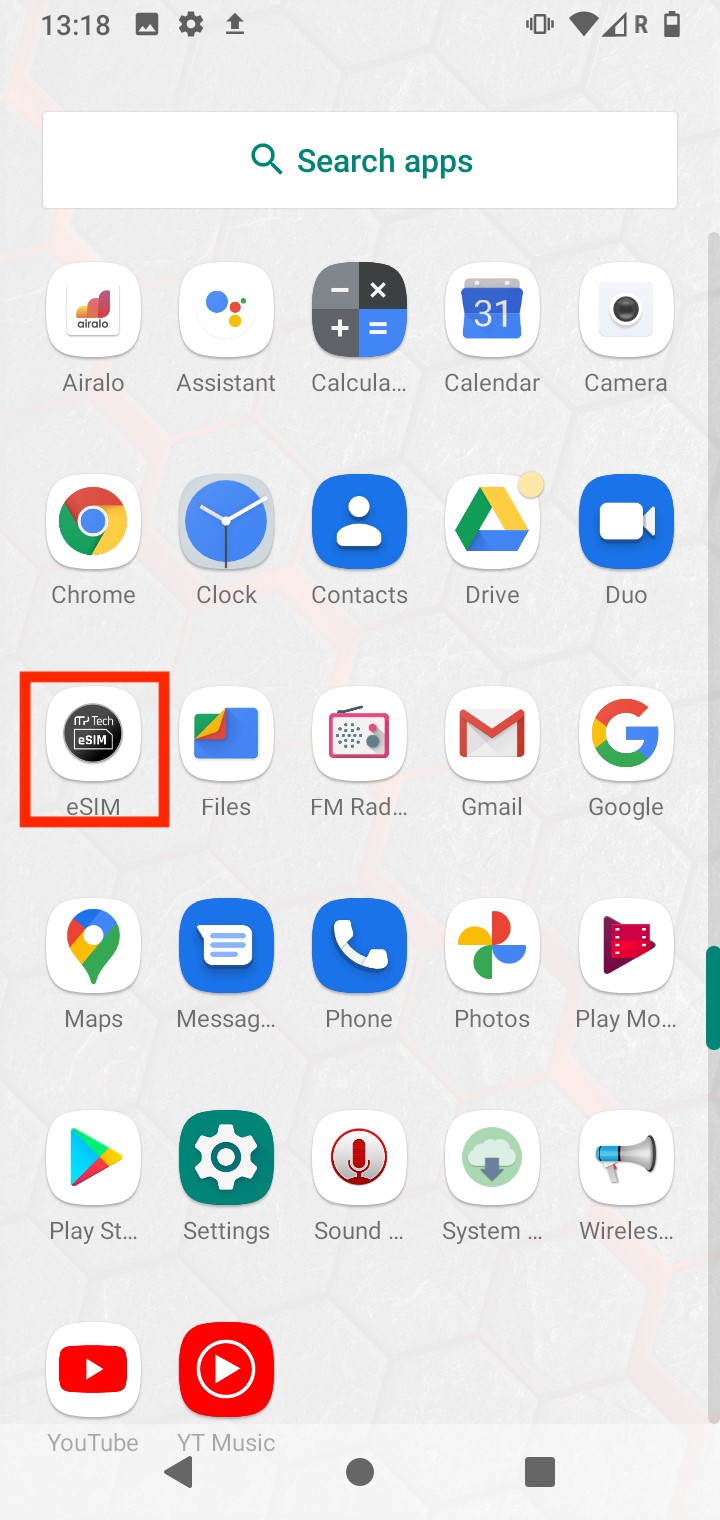
1. Go to your home screen menu and click on "eSIM"
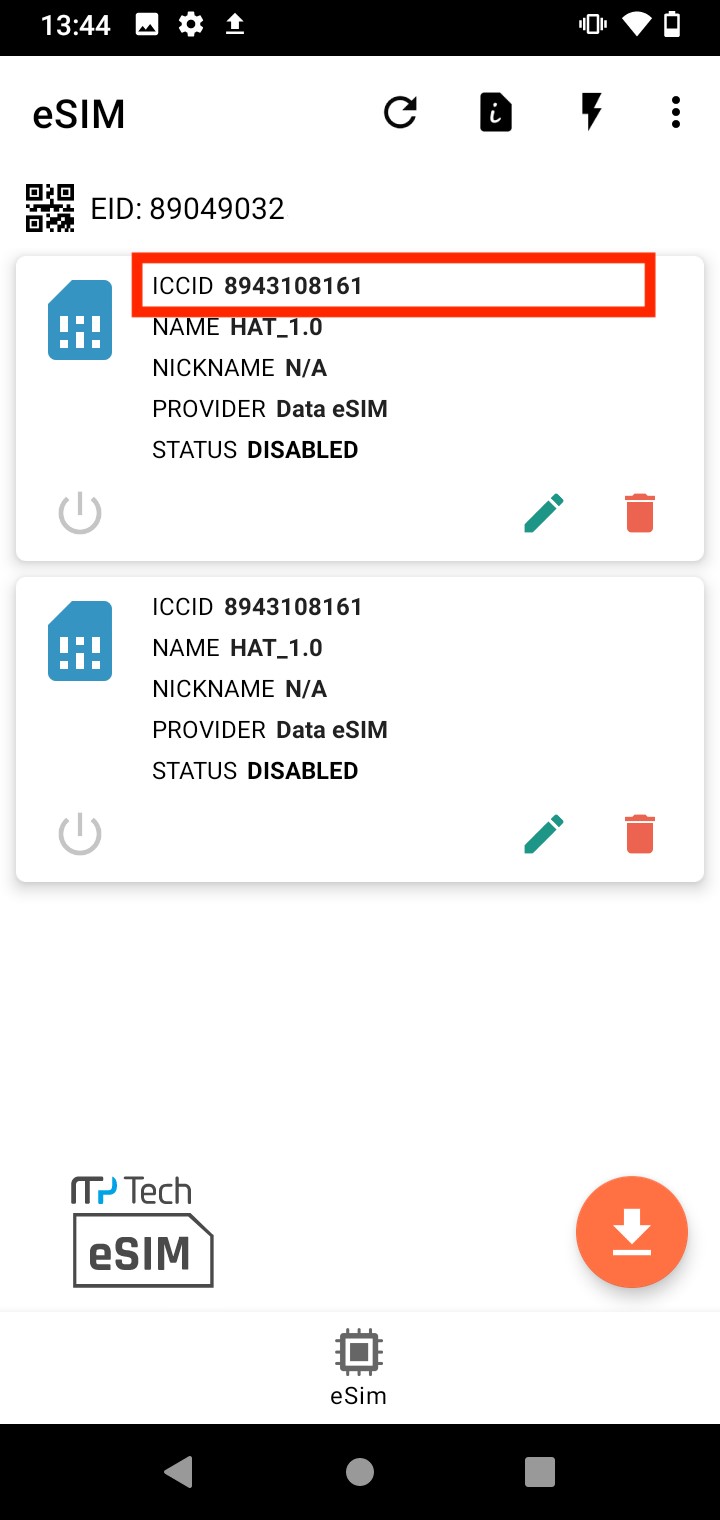
2. Once in the app you will see the ICCID for your eSIM.
If you have any questions, please do not hesitate to contact our Coop Travel Support. We are here and happy to help!