If you are looking to uninstall your eSIM from your Google device, follow the steps below:
Before starting the uninstall process, ensure that you have a stable internet connection. Ideally, connect to the local Wifi or use a good 4G connection.
Note: You can also temporarily disable an eSIM if you intend to use it again.
Deactivating or disabling an eSIM will not extend the validity of the eSIM.
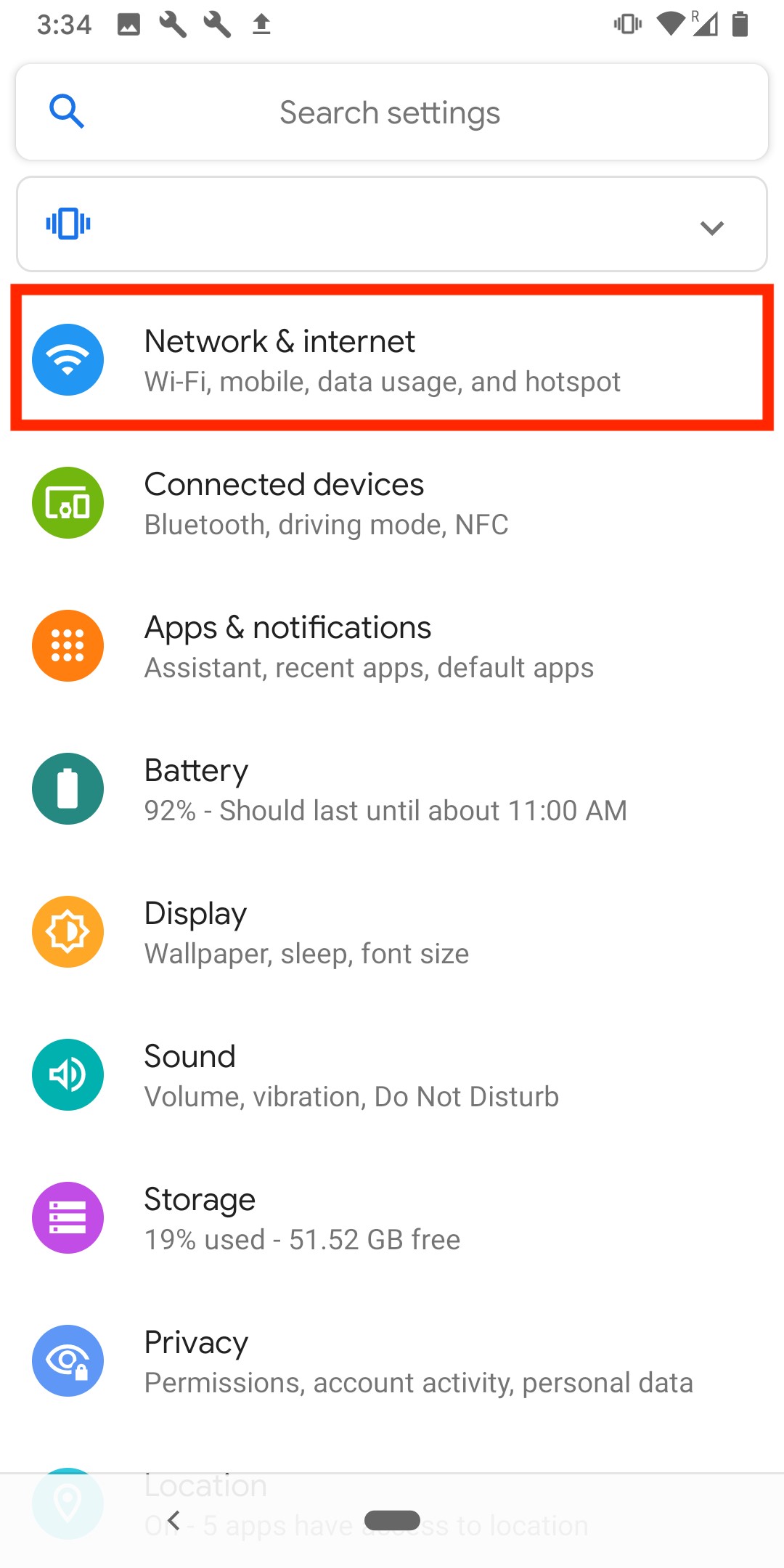
1. Go into Settings.
2. Go into "Network & Internet"
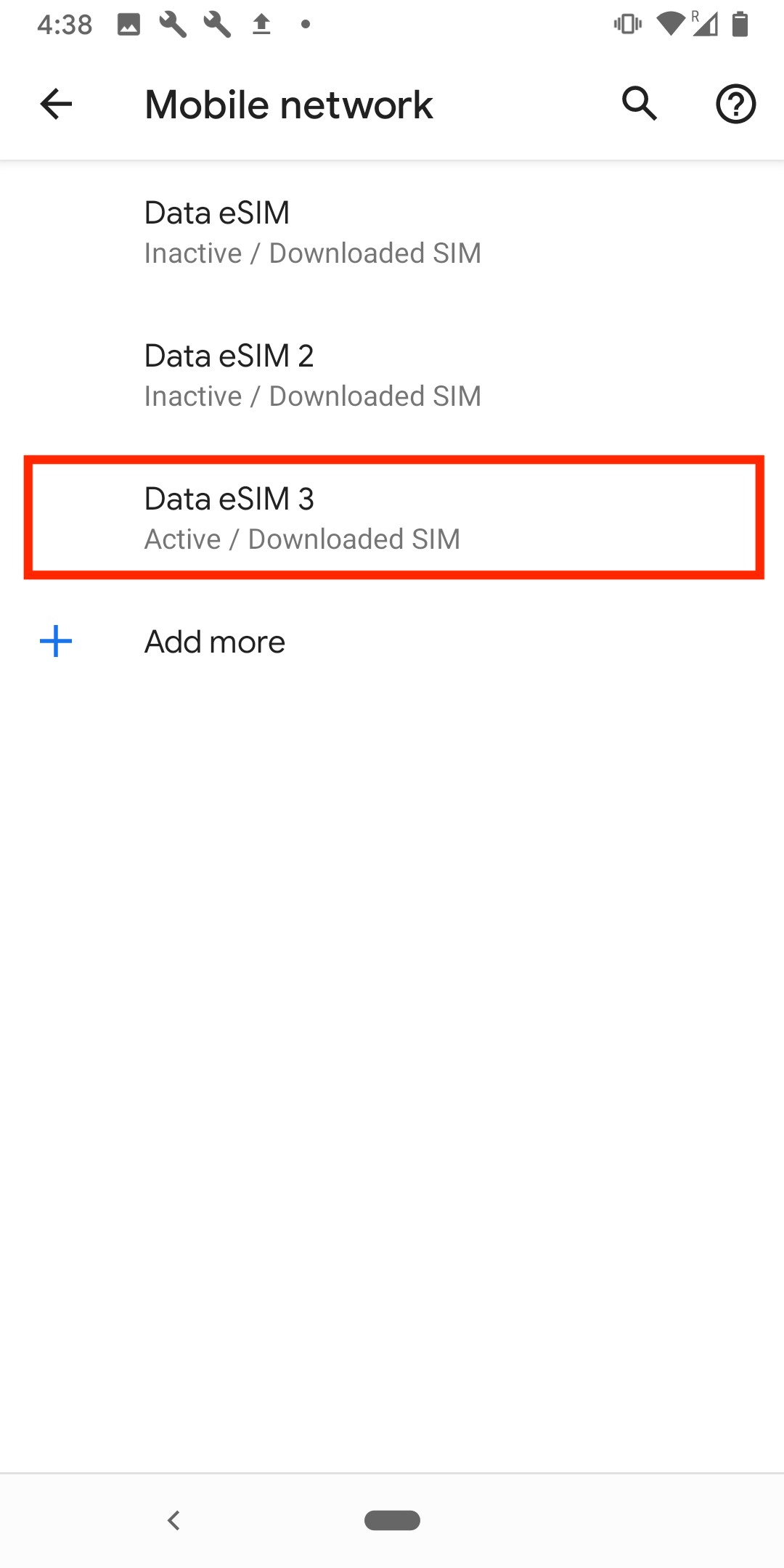
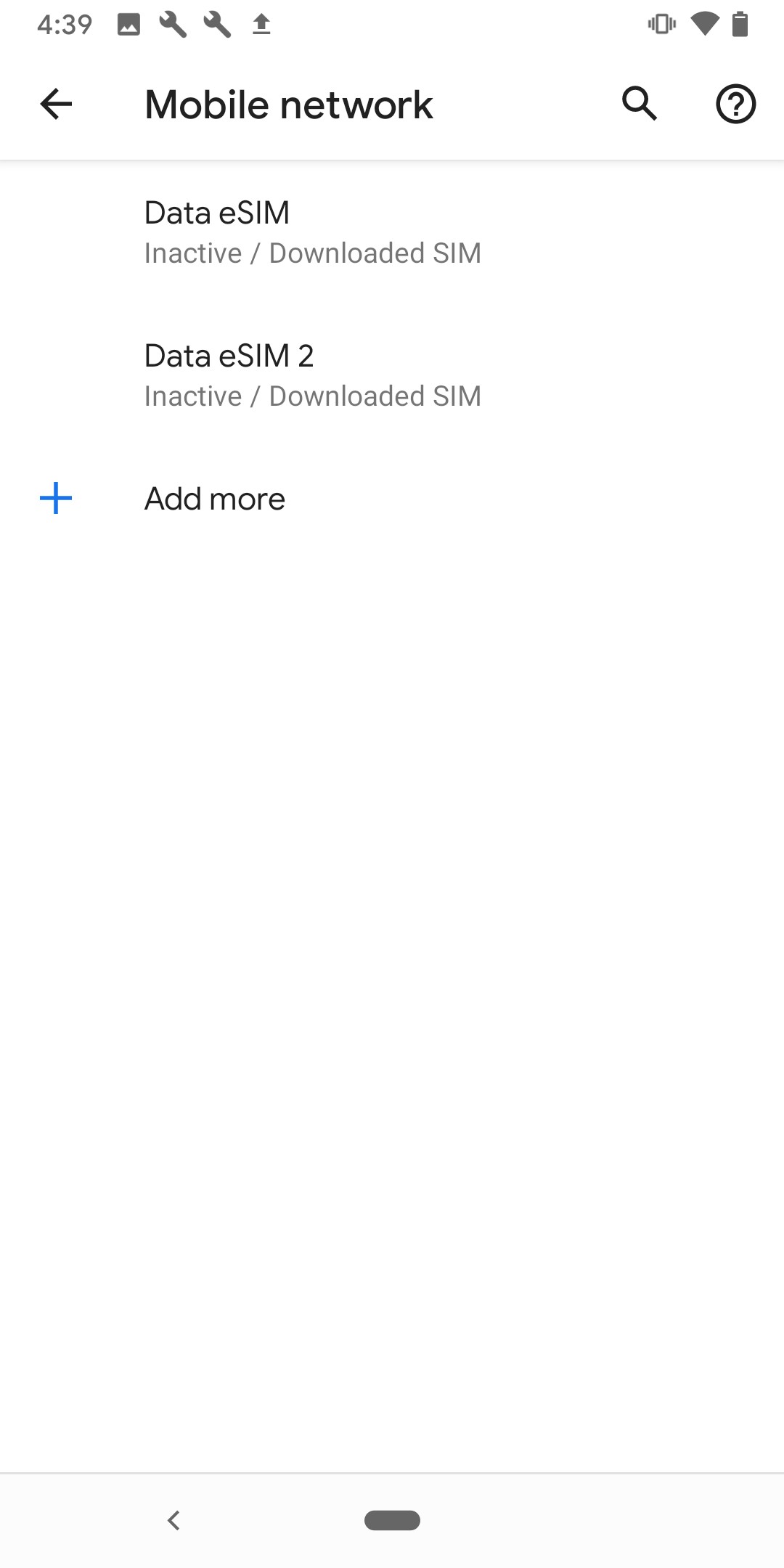
3. Click on "Mobile Networks" > Select which eSIM you want to remove from the list.
(in this example, we will be removing Data eSIM 3).
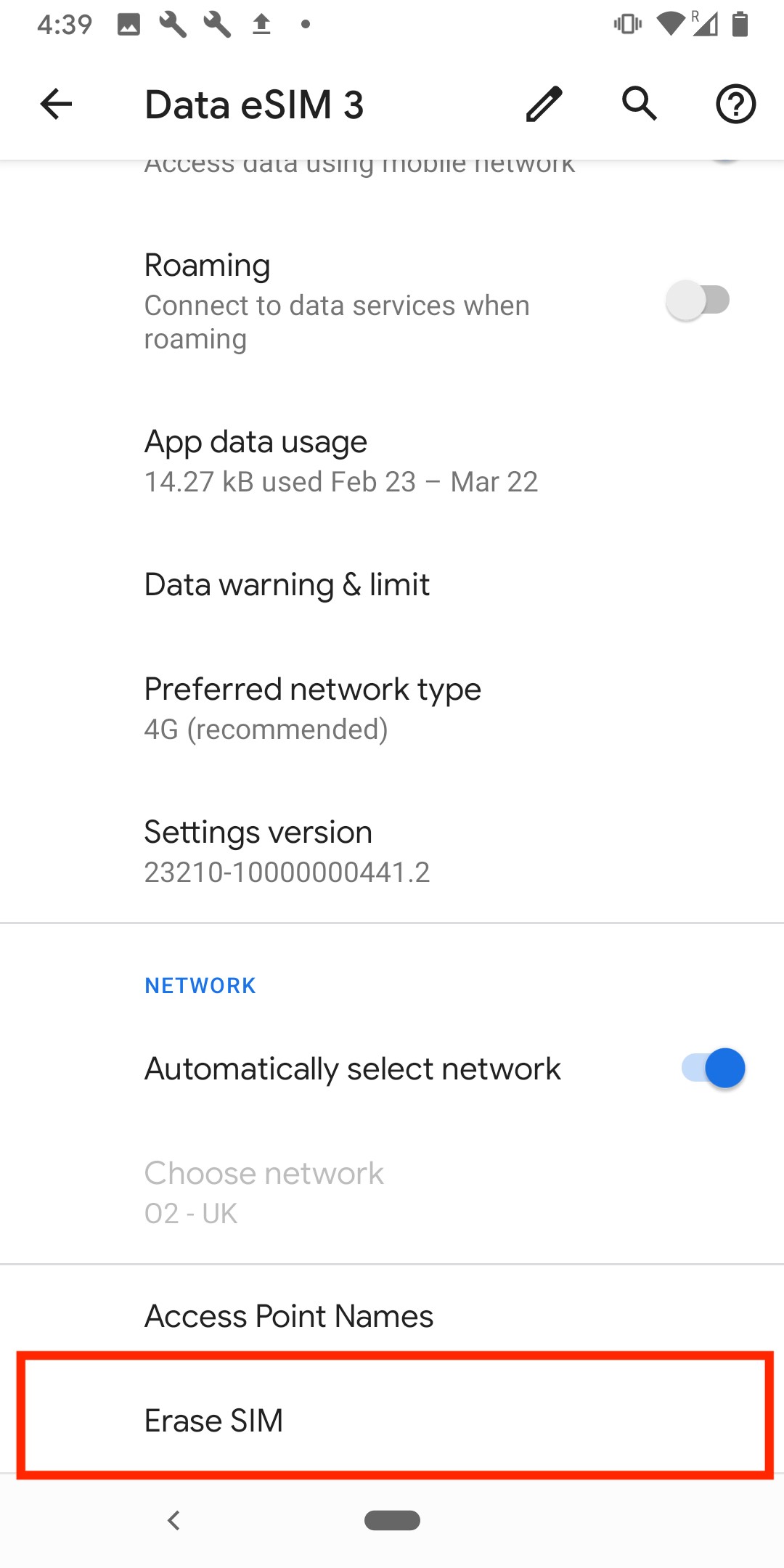
4. Scroll down until you see the option of "Erase SIM"
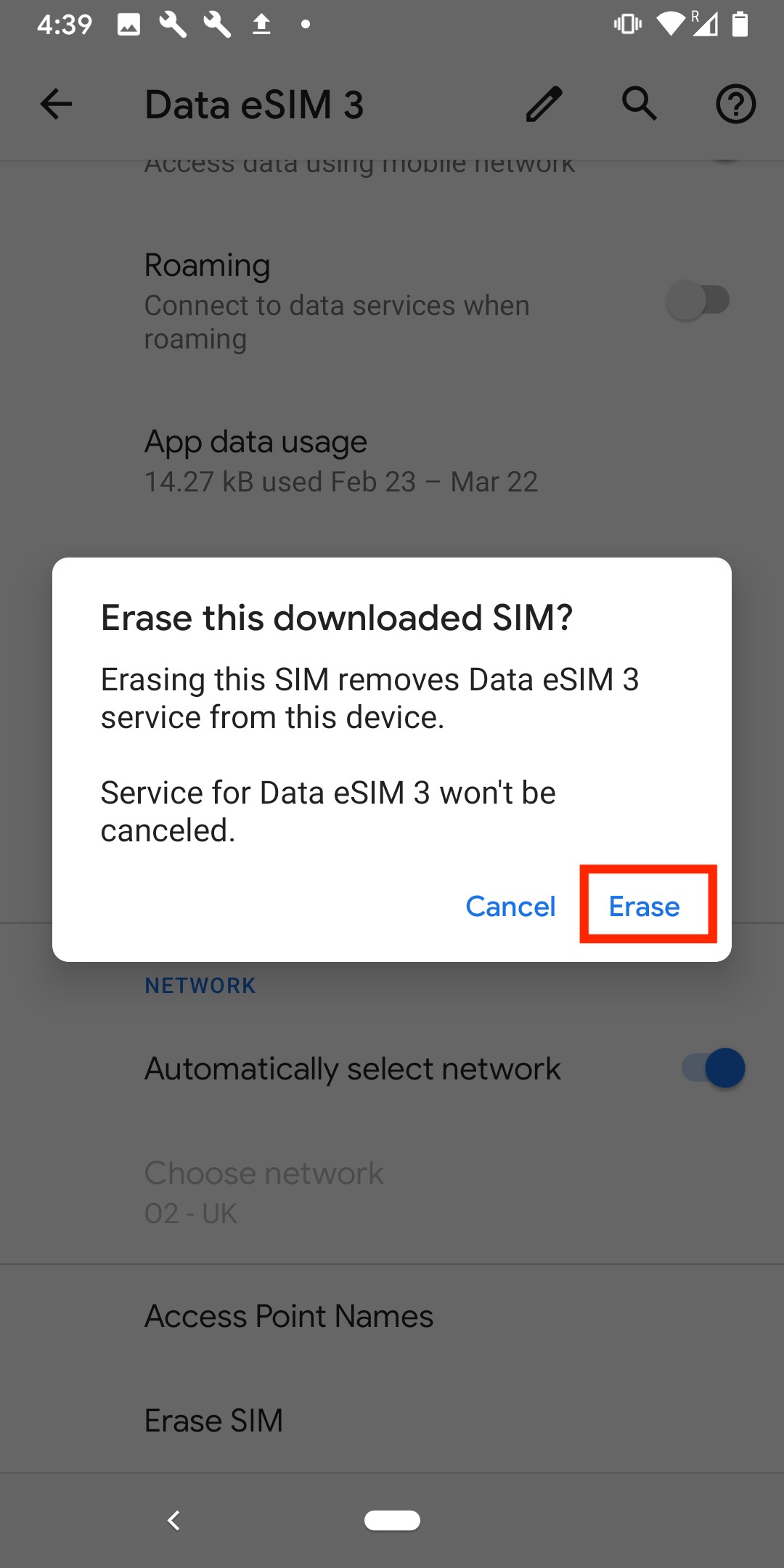
5. Select "Confirm" > wait for the eSIM to be erased.
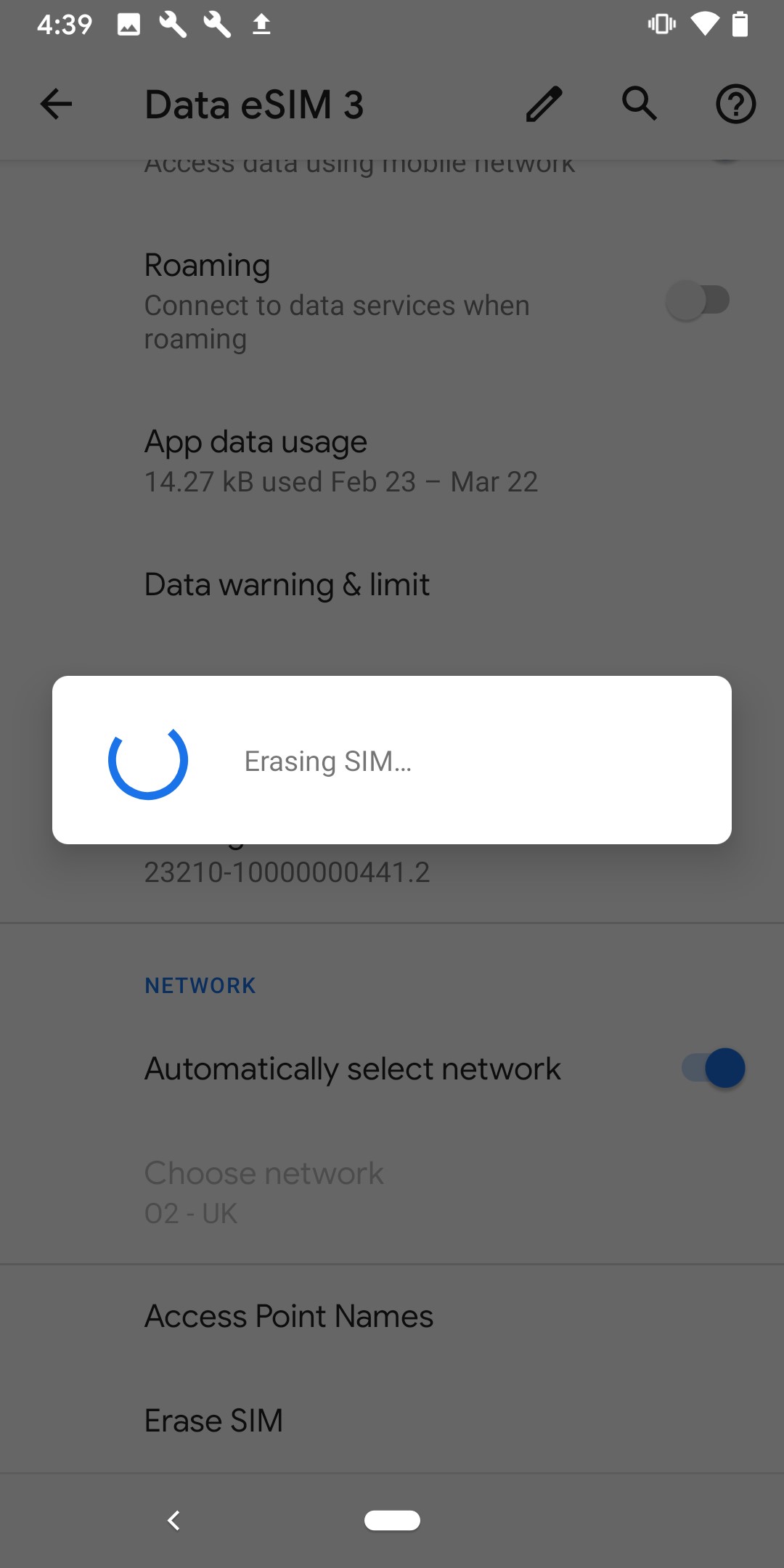
6. Once this is done, the eSIM should have been successfully removed from your device.
If you have any questions, please do not hesitate to contact our Coop Travel Support. We are here and happy to help!