If you are struggling with a poor-quality connection on a particular network, we advise you manually search and select a different network. You will only be able to get an internet connection on the network(s) we offer a service on.
To look at this, follow these steps:
1. Go into your Settings.
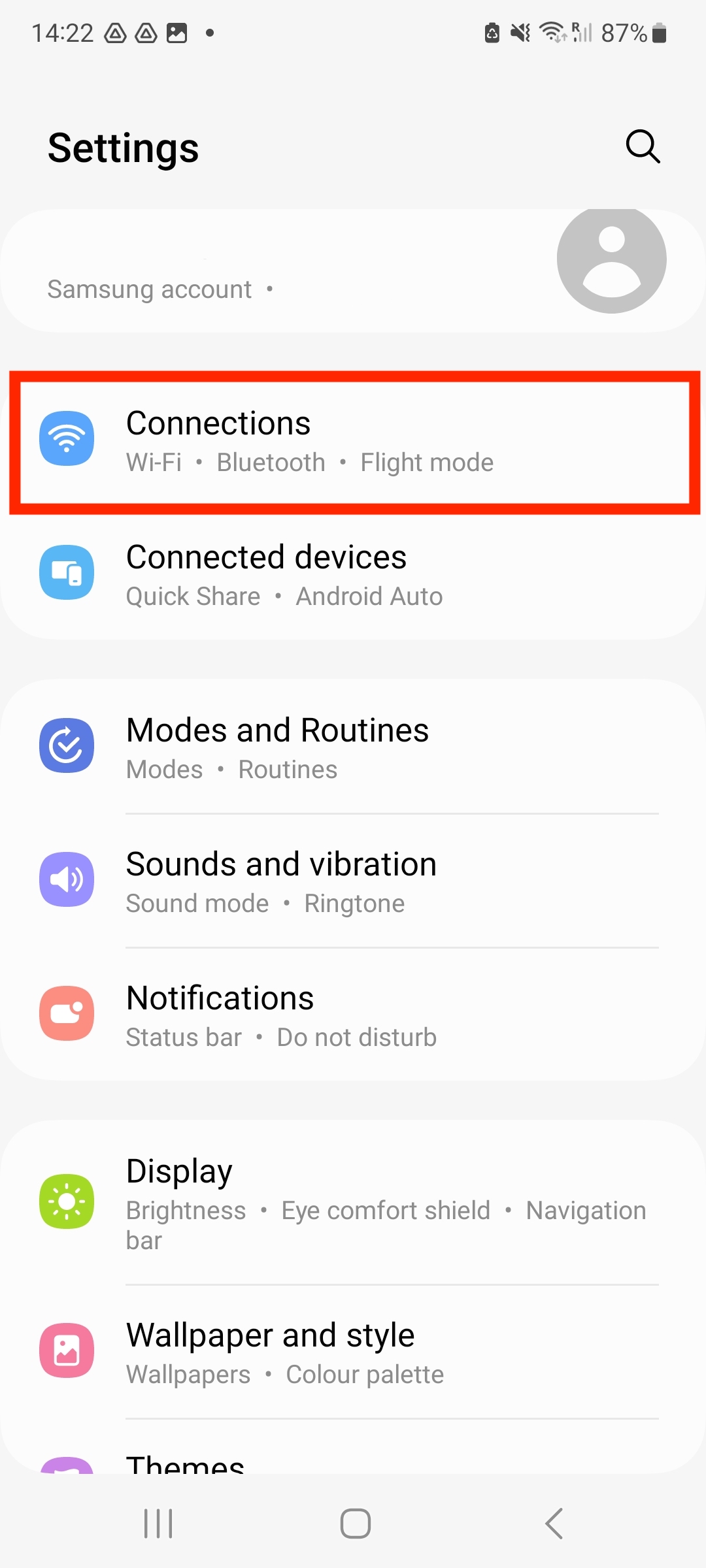
2. Click "Connections".
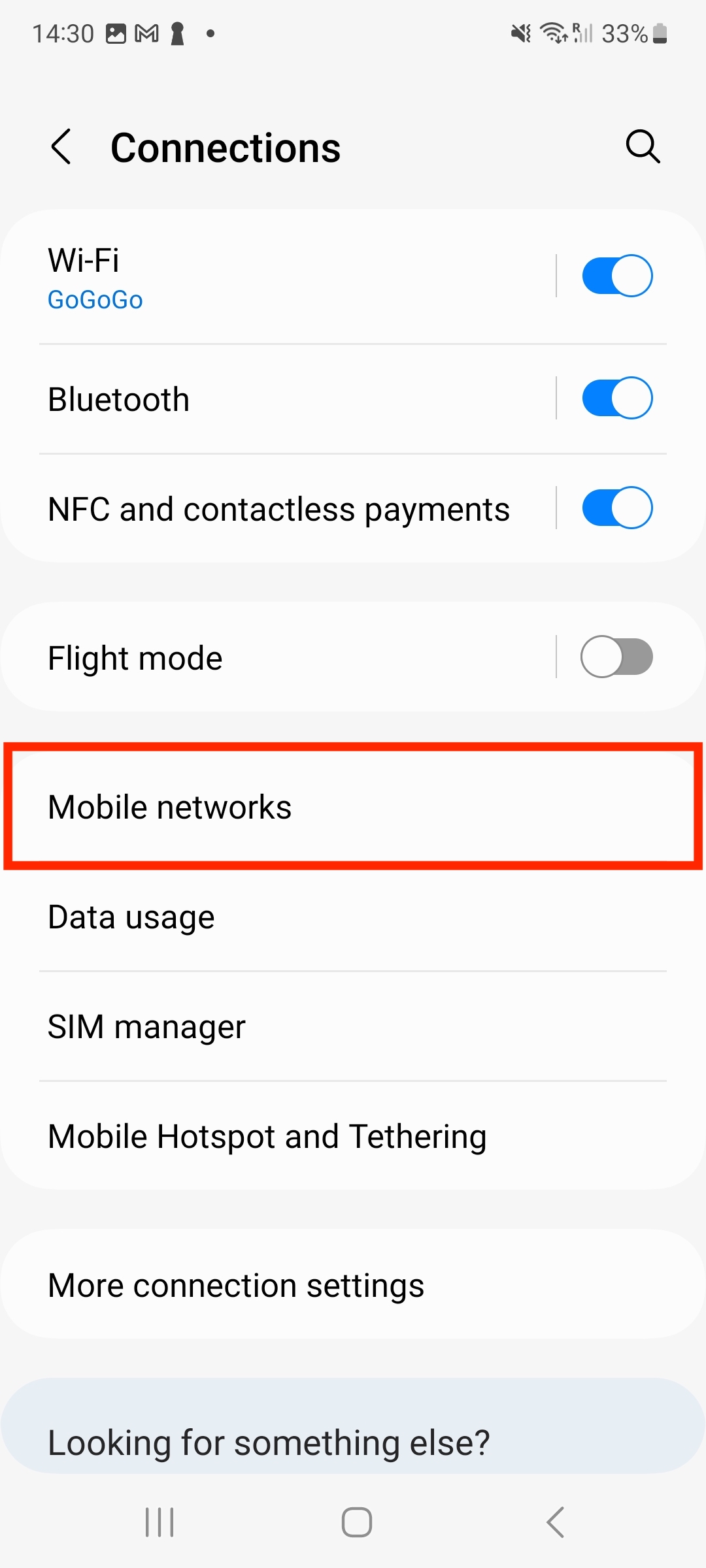
3. Select "Mobile Networks".
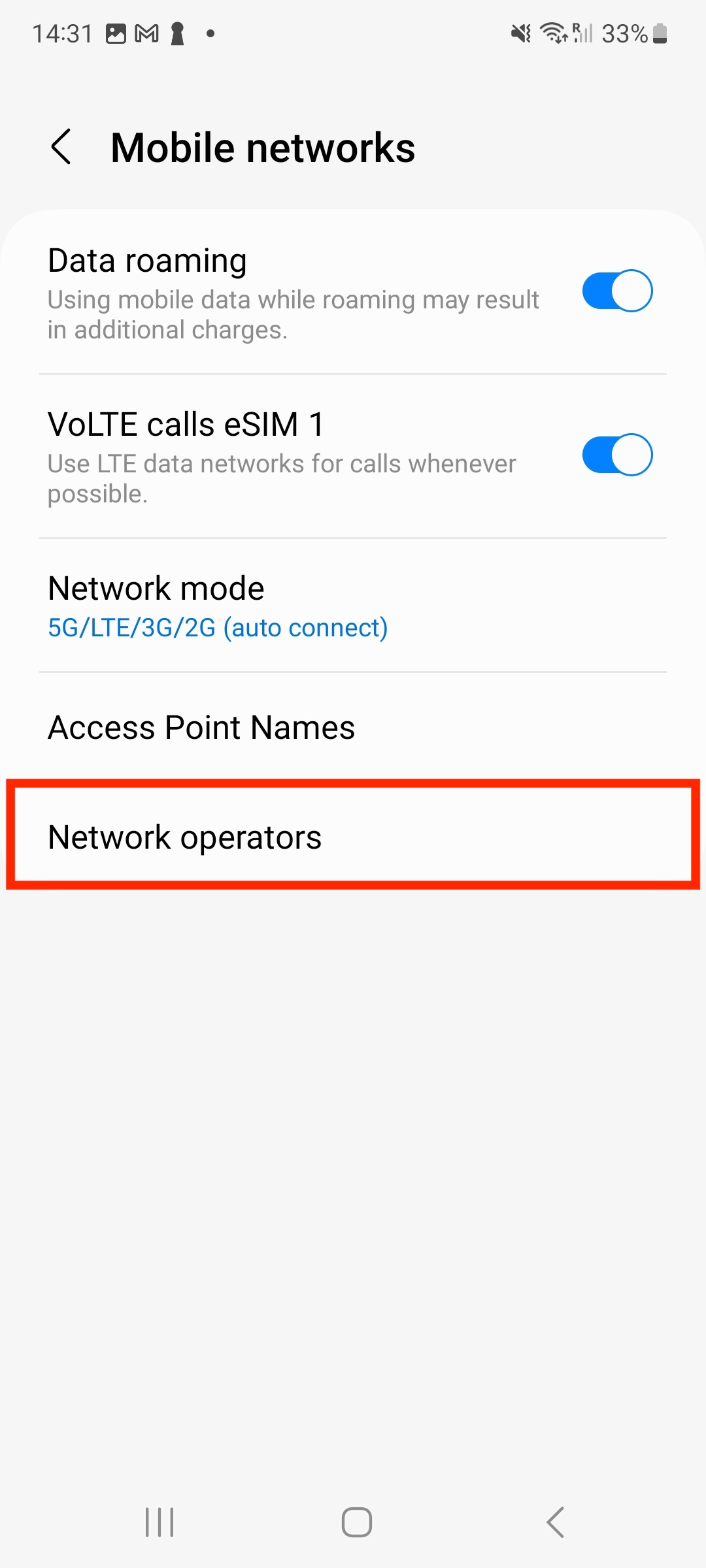
4. Once you are on Mobile Networks, select "Network Operators".
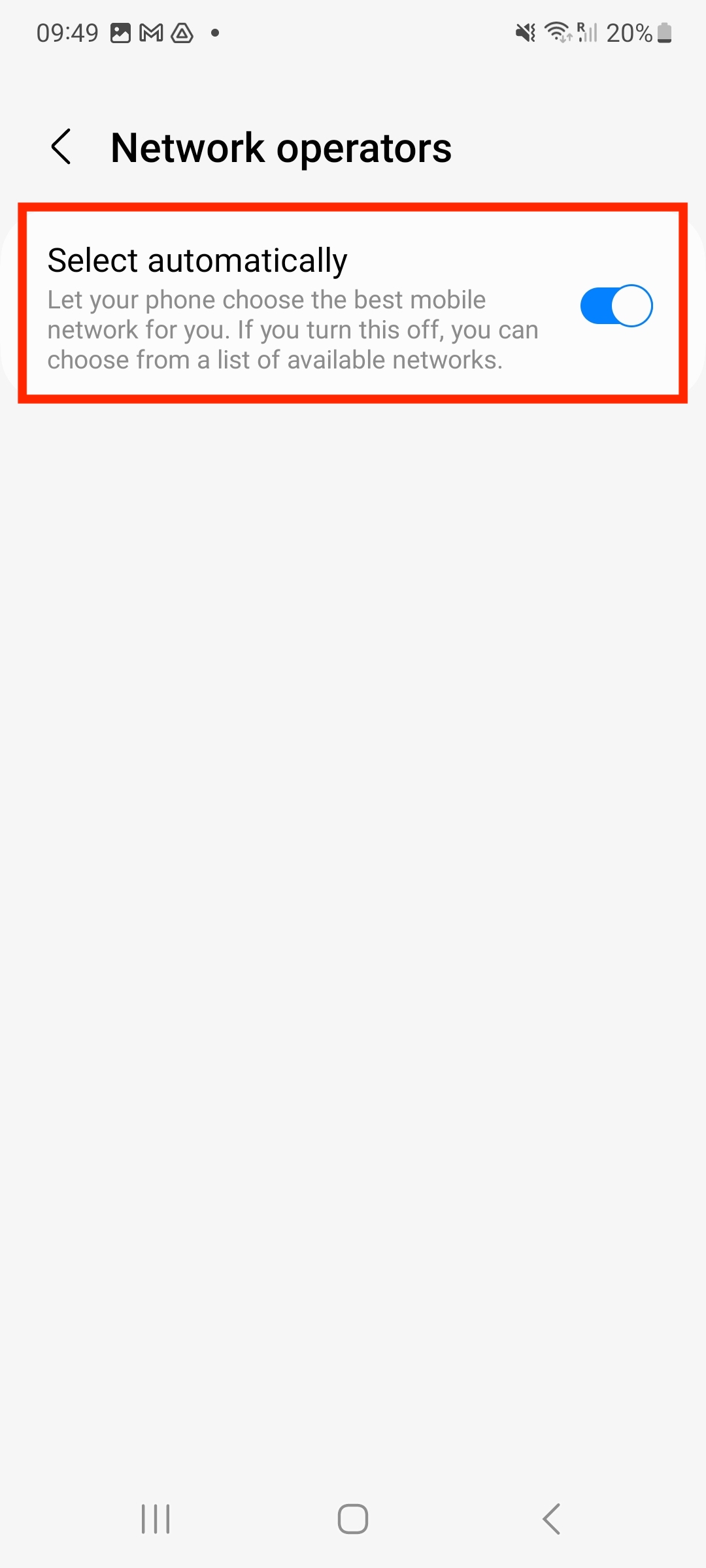
5. Disable "Select Automatically" > Choose the Network you wish to connect to.
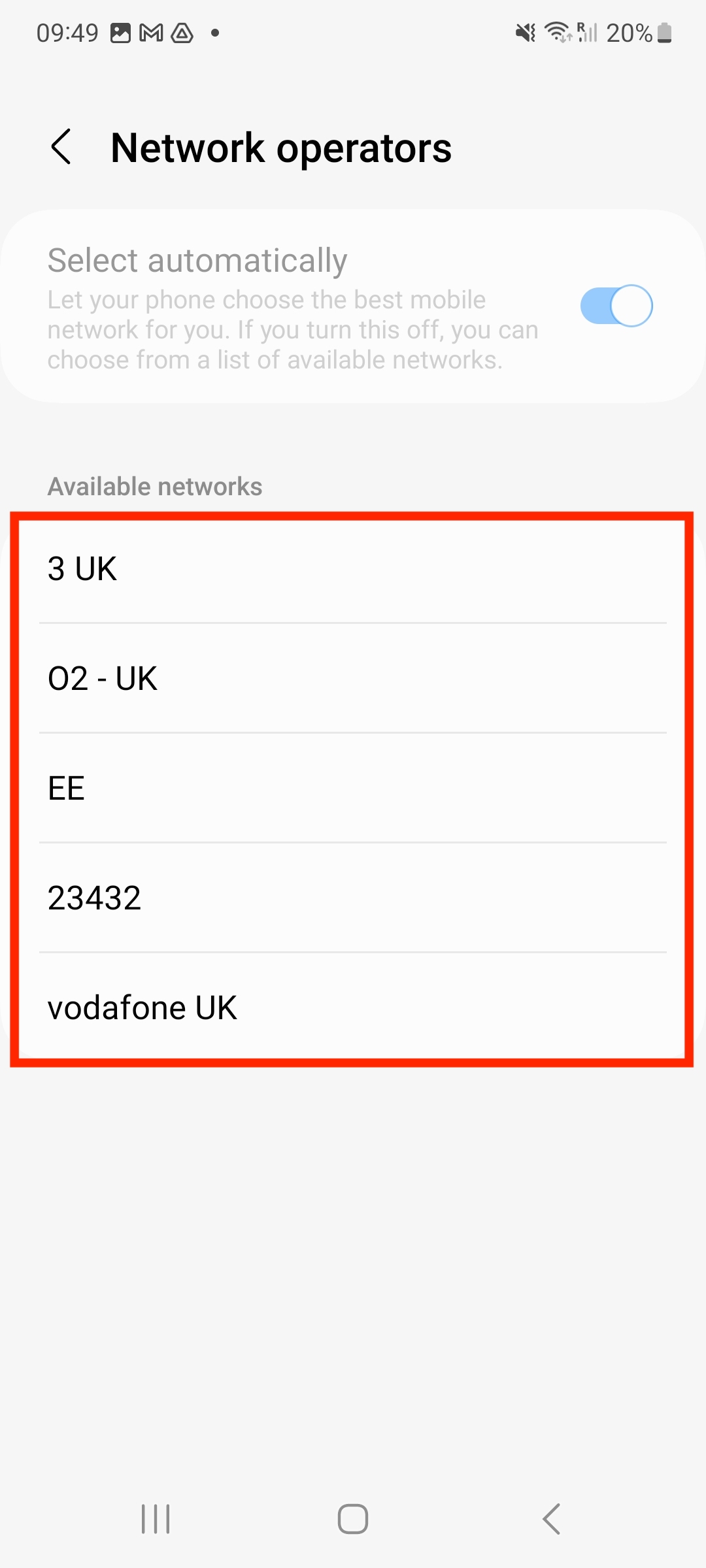
6. You are now connected to the selected network.
If you have any questions, please do not hesitate to contact our Coop Travel Support. We are here and happy to help!