It is essential that "Data Roaming" is enabled in order to use the eSIM.
You can turn "On" and "Off" your Data Roaming in your settings.
Turning on your Data Roaming will allow any eSIM to work with your device.
To do this, follow these steps:
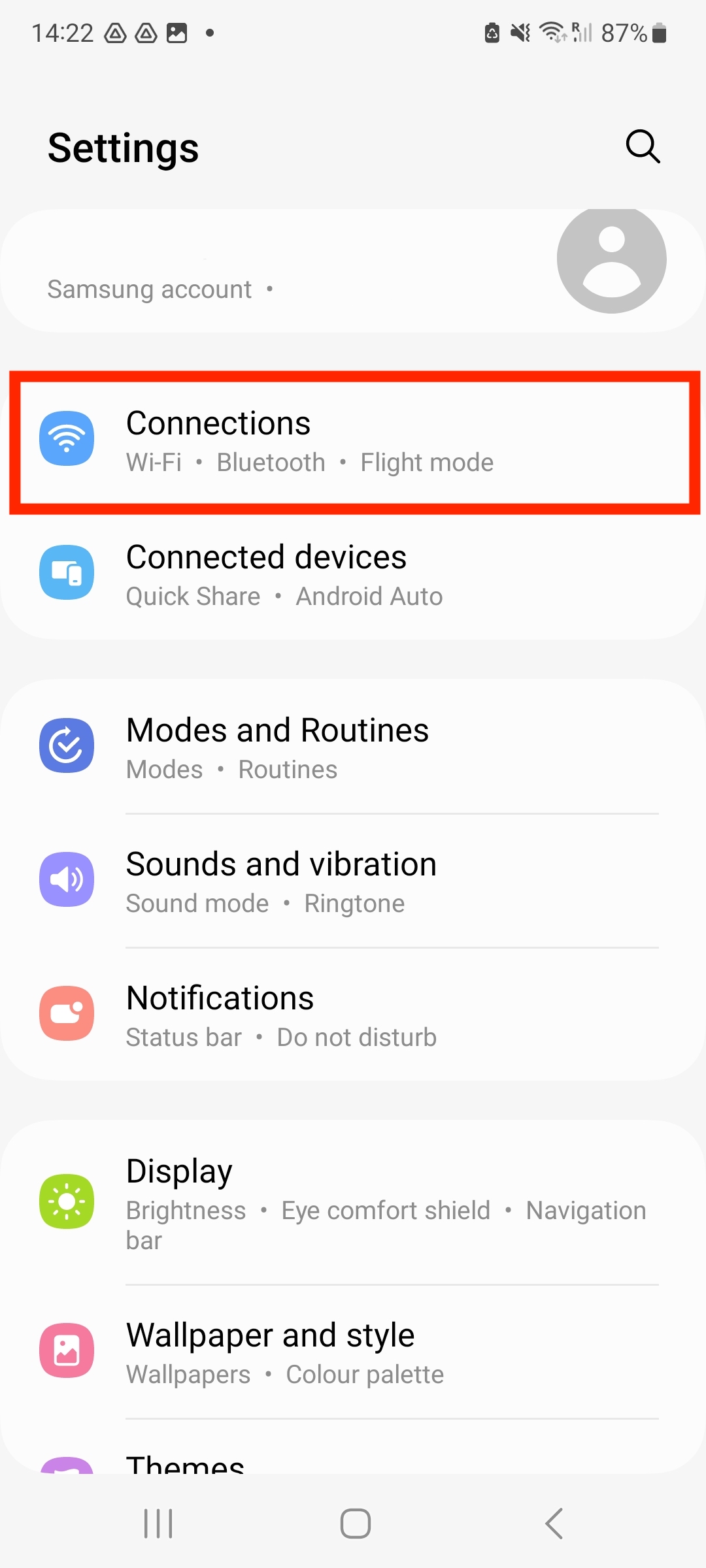
1. First, open your Settings.
2. Select "Connections"
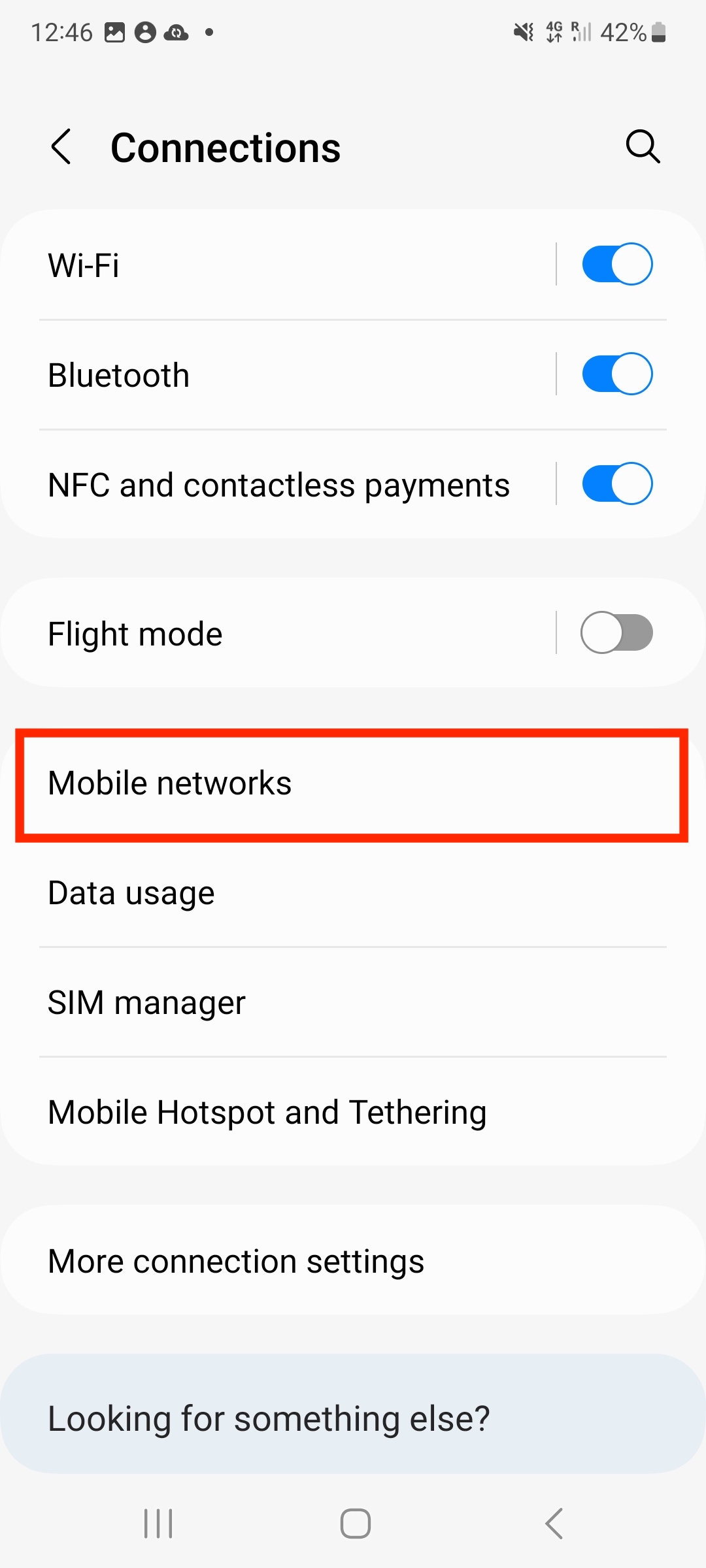
3. Select "Mobile Network"
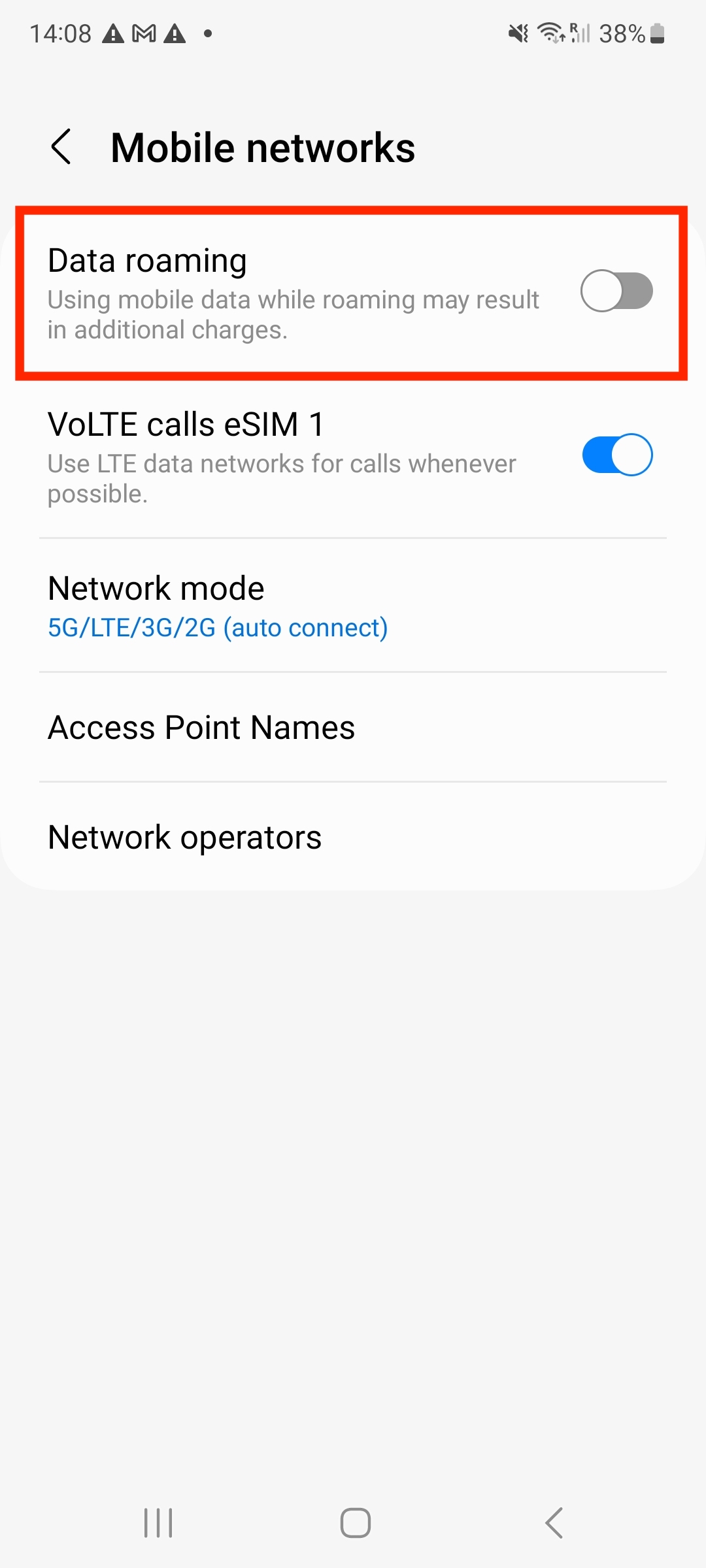
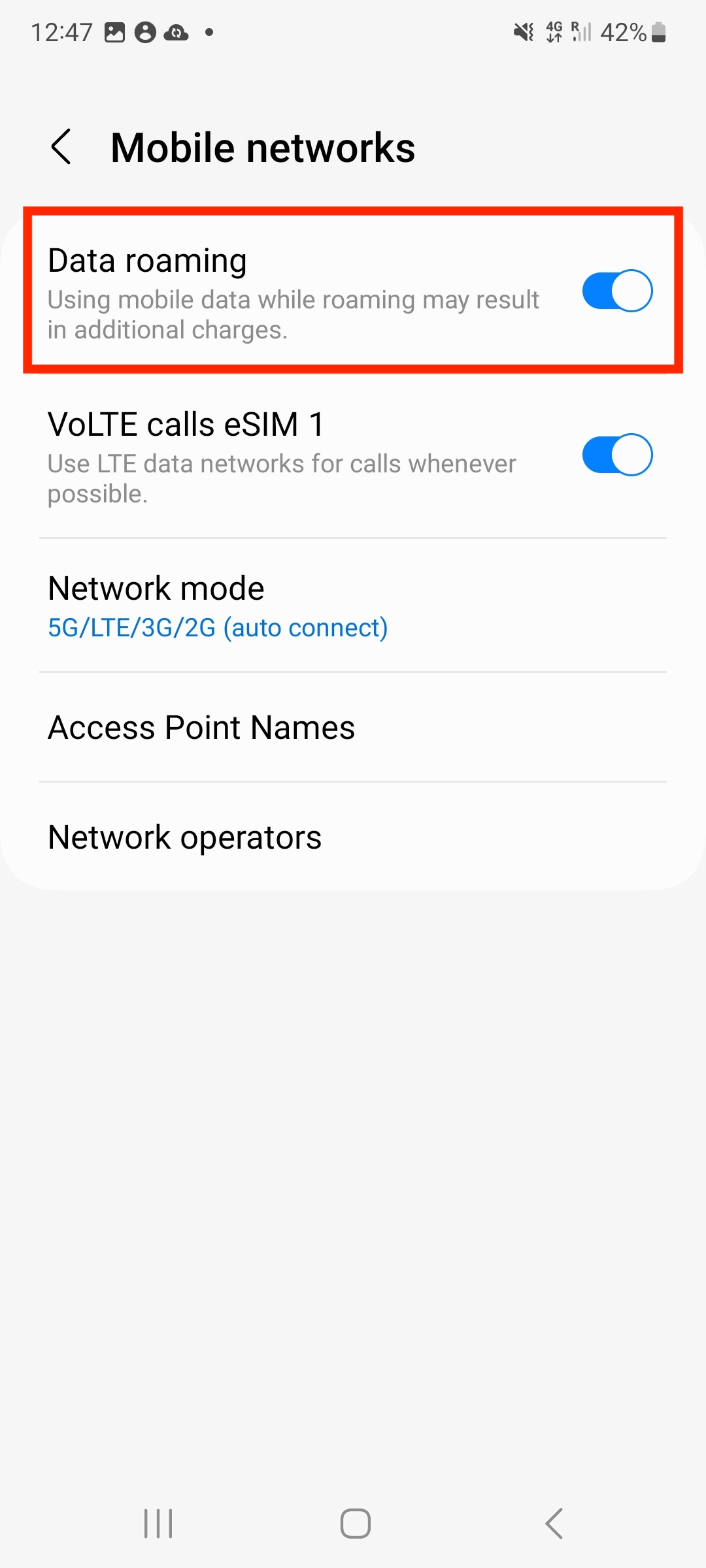
4. Make sure "Data Roaming" Is enabled.
To do this, click the bar and make sure the toggle is blue.
If you have any questions, please do not hesitate to contact our Coop Travel Support. We are here and happy to help!